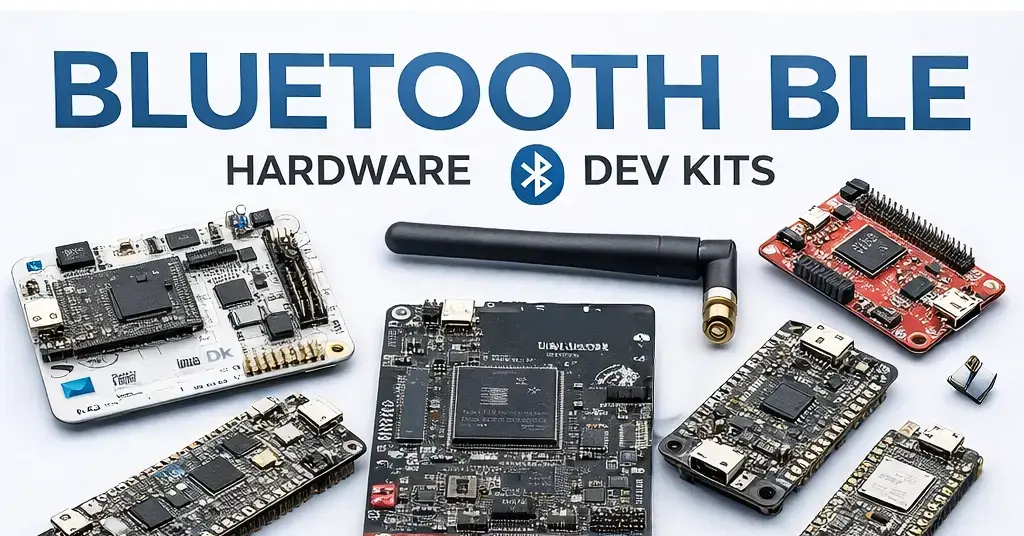
Choosing the best hardware for Bluetooth Low Energy (BLE) development is one of the most important decisions when building connected products. The right platform can dramatically reduce development time, improve wireless performance, and lower power consumption.
In this guide we’ll take you through some of the leading BLE development platforms from the top vendors for both product development and hobby projects, focusing on real-world development, power efficiency, software maturity, and long-term scalability.
What Makes the Best BLE Development Hardware?
Before comparing vendors, it’s important to understand what “best” means in BLE development. High-quality BLE hardware should offer:
- Ultra-low power consumption for long battery life – almost every BLE project needs low power
- Great radio performance (range, sensitivity, coexistence)
- Mature software stacks and SDKs – Good hardware without good software isn’t very useful
- RAM and Flash for large applications – you don’t want to run out of space
- Easy to use debugging and development tools
- A clear upgrade path from prototype to production including easy product design
- Development Support
While there’s a lot of BLE vendors out there (it’s easy to get Bluetooth IP and license a stack), the quality of the hardware and software you actually get really depends on the vendor. Many companies without a long term track record in the space promise a lot of features, but you only discover the real problems and limitations once you’re deep into development.
We had a similar experience. Deep into a product we were developing for a customer, we found out late into development that a BLE feature we were depending on, that was documented as working, didn’t actually work. The vendor (who shall remain nameless) knew this was the case. Luckily they were about to release a fix for it, so it ended up as only a few weeks of delay.
It’s sometimes hard to predict ahead of time what kind of features you may need, so going with a vendor that specializes in something specific may turn out to be an issue. Larger vendors do more testing and have already taken their stacks through the ringer, so it tends to work out well.
Nordic Semiconductor: Industry Standard for BLE Development
Nordic Semiconductor is the top vendor for Bluetooth Low Energy development and it’s hard not to see why. Nordic’s BLE hardware is used in everything, from fitness trackers and medical devices to industrial sensors and consumer electronics. Nordic sells approximately 40% of all Bluetooth BLE chips in the industry. The parts are good enough to fit a wide range applications.
One of the places where Nordic often doesn’t do as well are the analog peripherals. For example, the current source that had issues in the nRF52. The ADC also tends to be lower performance than others. Some of this has been addressed by new devices.
Why Nordic Is Often the Best Choice
- Low power consumption – Especially with the nRF54, Nordic has really reduced power consumption
- Extremely stable Bluetooth stack – Years of working on BLE and maturity helps deliver a stack even Apple used for products
- Excellent mobile interoperability (iOS & Android)
- Strong ecosystem support and documentation – Zephyr RTOS, MCUboot, Matter
Popular Nordic BLE Hardware
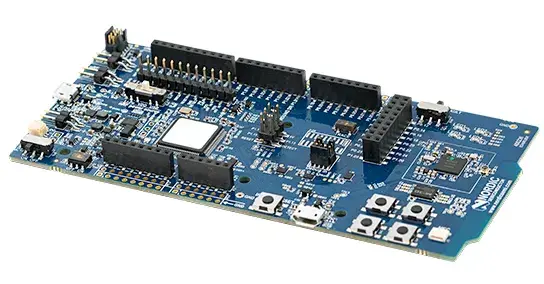
It’s almost impossible to miss the nRF52 hardware and especially the nRF52840 dongle. Plenty of RAM and Flash for almost any application, mature SDK. The nRF52’s performance was ground breaking when it was unveiled.
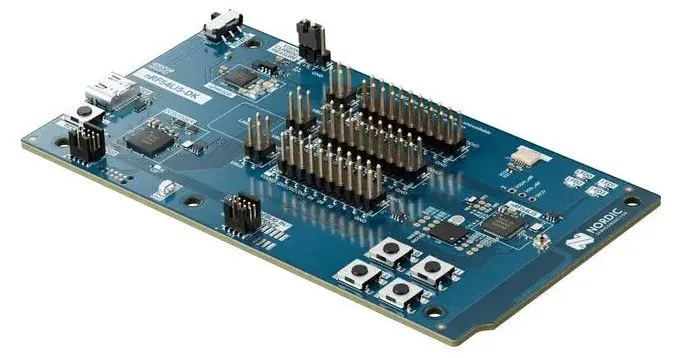
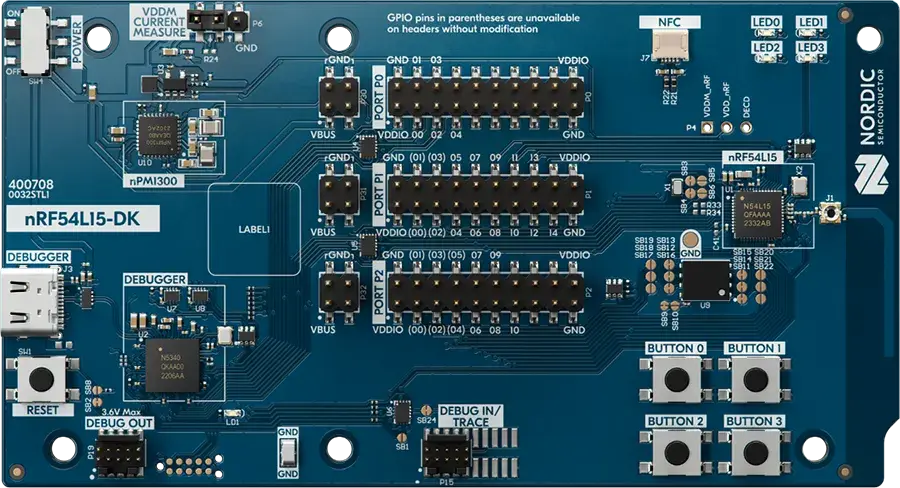
Today you’ll generally be best off choosing the nRF54L15 Development Kit which will give you the next generation. The board includes the nRF54L15, an integrated Debugger/Programmer, connectors for expansion, a nPM1300 power management IC. Everything you need to start developing and testing your device.
- nRF54 Series – Next-gen performance and power efficiency
- nRF52 Series – Proven, widely deployed BLE SoCs
Starting in 2026 we recommend you start developing with the nRF54 series as it improves on the nRF52 in almost every aspect. You can read more about the nRF54 changes here. The nRF54L15 Dev Board goes for $39 and you can get it at Digikey, Mouser and practically any large distributor.

Nordic Based Arduino Boards
Are you looking for a more user friendly development environment? The Arduino Nano 33 BLE Rev2 is a great board to start with. It uses the nRF52840 in a u-blox module and the Arduino environment for development, which means much easier development for a lot of hobbyist project.
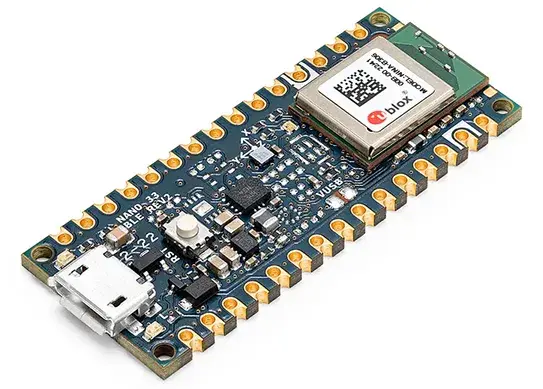
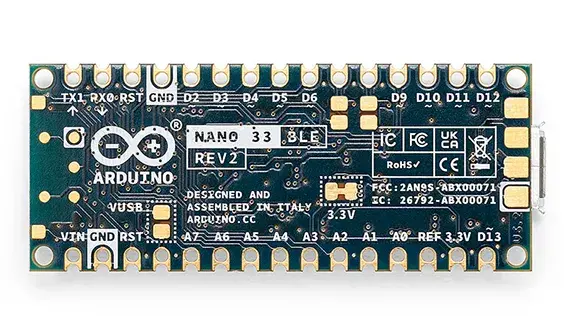
This board exists in large part because of the open nature of the nRF52 and the great documentation, which is much more difficult to achieve in other vendor chipsets.
- Fully programmable via the Arduino IDE, and also compatible with MicroPython
- Compact Nano form factor ideal for breadboards and space-limited projects.
- Standard GPIO pins, analog inputs (ADC), digital I/O, PWM, and peripheral interfaces like UART, SPI, I²C, USB
- Operates at 3.3 V logic
Development with Nordic Parts
One of the best thing about working with Nordic’s parts is the documentation. The datasheets for the parts are complete with basically all register definitions, including the radio registers which are usually not available.
Most other BLE vendors hide the details of their radio and make it impossible to work with the part except through vendor approved libraries. Nordic’s documentation is very complete to the point many projects that create custom Bluetooth stacks use the nRF52 (and now nRF54) as a basis. While other vendors are worried about protecting the registers, Nordic gives you everything you need if you want to go that route.
As far as the Bluetooth Stack goes, Nordic provides both the SoftDevice (for nRF52 and earlier) and the Bluetooth Controller (closed source Controller binary). You can also use Zephyr’s own controller firmware which is open source, although it oftentimes isn’t as well tested and sometimes missing features.
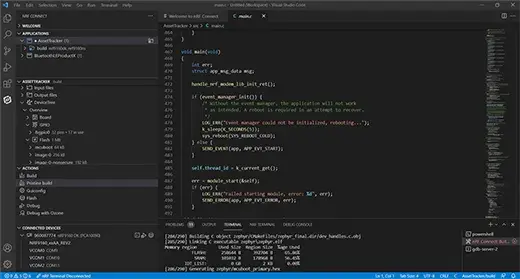
Nordic’s nRF52 series and now the nRF54 are mostly developed on Zephyr, although there’s a new RTOSless SDK as well. Developing on Zephyr just a couple of years ago was messy and difficult. Today it’s as easy as firing up Visual Studio Code, installing some plugins and letting it download the SDK.
One downside of Zephyr is that it can have a steep learning curve compared to just C code. Hardware Overlays, Configurations, Build Systems. The development environment is sophisticated and can be complex. But the advantage is the large number of features available you can build on.
Overall Nordic’s SDKs and tools are known for their reliability and they’re used by tens of thousands of developers to build products.
- nRF Connect SDK (Zephyr-based)
- Excellent BLE examples and documentation
- Professional-grade debugging with SEGGER tools
Development Support
Once you’ve started developing, you may need to get in touch with Nordic or the community to ask questions and get information.
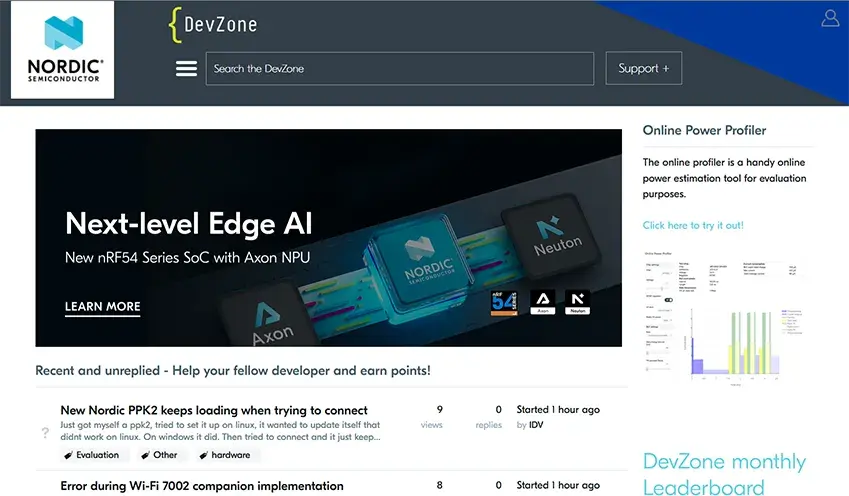
Nordic’s support is mainly provided on the DevZone forums, and it’s one of the best places we’ve found to get answers. There’s direct support from Nordic engineers that will answer a lot of questions and help you move forward.
For commercial customers there’s also direct support from Nordic, although we’ve found that DevZone can be just as quick and useful.
Best for:
Products where BLE reliability, power efficiency, and Features Rich.
Silicon Labs: Feature-Rich BLE with Strong Multiprotocol Support
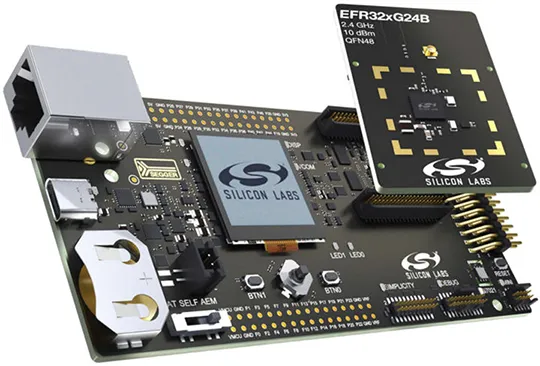
Silicon Labs (or Silabs as it’s often called) is another vendor offers a powerful BLE platform focused on multiprotocol wireless systems, making it ideal for products that combine BLE with Zigbee, Thread, or proprietary protocols. It’s one of the smaller IoT vendors that has grown on the basis of its strong IoT portfolio.
Strengths of Silicon Labs BLE Hardware
- Excellent multiprotocol scheduling
- Integrated security features
- Strong support for Matter and smart home devices
- Flexible RF configurations
- Security and Low Power
While Nordic has a few parts, Silicon Labs literally sells a very wide range of variants. You can build your product using a high end part, and then shrink down to a custom part that’s cheaper once you know how much Flash and RAM and which peripherals you need. It makes it possible to optimize the cost, although it often makes design and selection difficult.
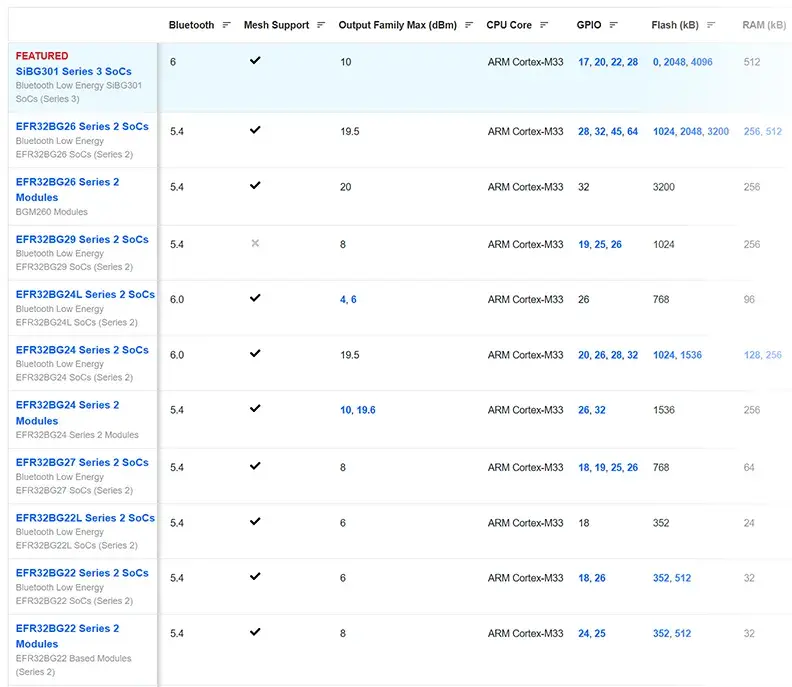
Another strength of Silicon Labs is the support for multiprotocol radios, even those at other frequencies. They offer Sub1GHz + BLE devices which can reduce the cost of Multi-protocol products.
One really great things about Silabs parts is that they have strong Analog peripherals. From Digital to Analog Converters, to Current Sources and Comparators, you can replace a lot of external analog circuitry with one part. Additionally, they are quite Low Power and have a lot of high end security features.
Popular Silicon Labs BLE Platforms
Silicon Labs uses EFR32 as the prefix for their parts, and they break down into three main classes
- Flex Gecko (FG) – Basic 2.4GHz / Sub-1GHz Parts
- Blue Gecko (BG)– Bluetooth Capable Parts
- Mighty Gecko (MG) – Multi-protocol radios
So EFR32FG, EFR32BG and EFR32MG are the base part numbers, and the rest indicates the family and the particular variant. EFR32xG2 parts are Series 2 parts which you should usually look at, although some of the power consumption ran into issues early on.
The new Series 3 Parts have slightly different nomenclatures, and are very likely worth looking at if you’re getting new development hardware. The new parts have significant amount of flash and memory.
SiMG301 – Multiprotocol SoC
This is a powerful IC with concurrent support for Zigbee, Bluetooth LE, Thread, and Matter on one chip. If you’re building products that need to support more than BLE, this is what you’ll want.
Use-cases: Smart lighting, smart sensors, wall switches, controllers.
Features:
- High performance wireless + application cores
- Generous Flash (up to 4 MB) and RAM (up to 512 KB)
- Integrated LED pre-driver & PIXELRZ interface for LED lighting designs
- Enhanced RF performance and security
Benefits: Reduces SKU count by combining multiple protocols; ideal for Matter-centric IoT devices.
SiBG301 – Bluetooth-Optimized SoC
This part is designed primarily for Bluetooth Low Energy (BLE) (and Bluetooth Mesh) applications. If that’s your focus, then this is the part you’ll want to look into.
Features:
- ARM Cortex-M33 tri-core design + Secure Vault™
- Strong RF specs (high receive sensitivity, BLE 1 Mbps)
- Multiple Flash variants (e.g., 2 MB, 4 MB) and 512 KB RAM
Benefits: Easy migration path from Series 2 BLE designs with more headroom and security.
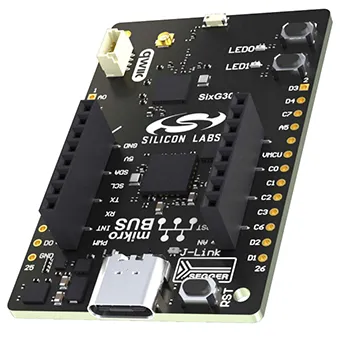
The new SixG301 Explorer Kit is a great low cost board to start working with these devices.
One note is that the the power consumption for the SixG301 parts is higher than other parts (something we will discuss soon in another post) and it’s early into the app. You may want to look at other parts like the EFR32xG26.
Development Considerations
If there’s something that we wish Silicon Labs would do is improve their access to their hardware. As opposed to the $50 or so for Nordic and TI hardware, most Silicon labs Dev Kits are much more expensive, often a couple hundred dollars for a kit.
This isn’t a huge issue for large companies, but small developers may balk at spending hundreds of dollars just to evaluate a chip. These Dev Boards do come with advanced capabilities like Ethernet and others, so it can be better on that end.
In some cases, Silabs does release lower cost Dev Kits like the EFR32xG26 Dev Kit which is a reduced dev kit. At $89 it’s not bad given the number of sensors that are offered on the board.

Silab’s development environment is Simplicity Studio, an all in one IDE based on Eclipse with support for Silabs parts. It runs on Windows Mac and Linux. Simplicity Studio also has support for external IDEs like IAR Embedded Workbench.
This development environment is relatively closed. To get access to documentation about the parts you’ll need to register, download the IDE, install it and then download the SDKs to get documentation. We don’t know why Silabs has chosen to go through this as it only makes developers have to go through additional steps to even see if the parts make sense.
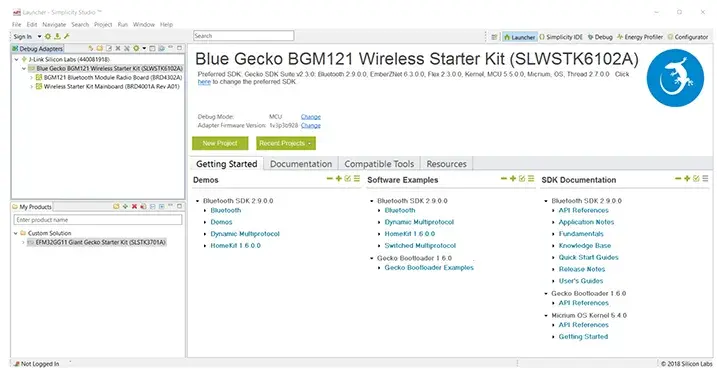
The Radio development also involves a lot of proprietary tools that generate code. This works well when you’re trying to do exactly what they’re designed for, but can sometimes be a challenge to customize. The IDE often feels as if it’s best for developing with the DevKits and not with your own custom hardware. Unfortunately much of the radio behavior for Silabs parts is hidden, and you never have access to the radio registers themselves.
This isn’t necessarily a drawback, and most people can develop with Silabs parts without much issues.
On the plus side, there’s support for many protocols together and all the tools are installed at once, which can be very convenient.
- More configuration-heavy than Nordic
- Best suited for teams familiar with embedded wireless stacks
- Strong tooling once properly set up
Best for:
Smart home, Matter, and multiprotocol products that require BLE plus other radios.
Texas Instruments: BLE with Broad MCU Ecosystem
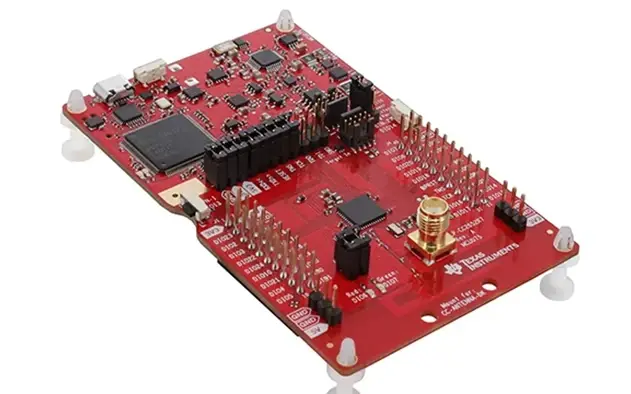
Texas Instruments has been in the Bluetooth LE business since the beginning, and its CC2540 parts were the go to parts. A few years later they release the CC26xx series of parts. Unfortunately for TI, this was relatively late, and the gap between it and other companies like Nordic grew.
But TI is a big company with a large offering, and it often offers devices that are differentiate it from others. The parts work especially well in the larger SimpleLink MCU ecosystem, offering flexibility for teams already using TI microcontrollers.
Advantages of TI BLE Hardware
- Tight integration with TI MCUs
- Stable long-term availability
- Strong industrial and automotive presence
- Good documentation for enterprise customers
- Multi-Radio support
- Sensor Controller peripheral can reduce power consumption in some applications
If you’re already developing with TI parts, staying with TI makes sense.
Development Considerations
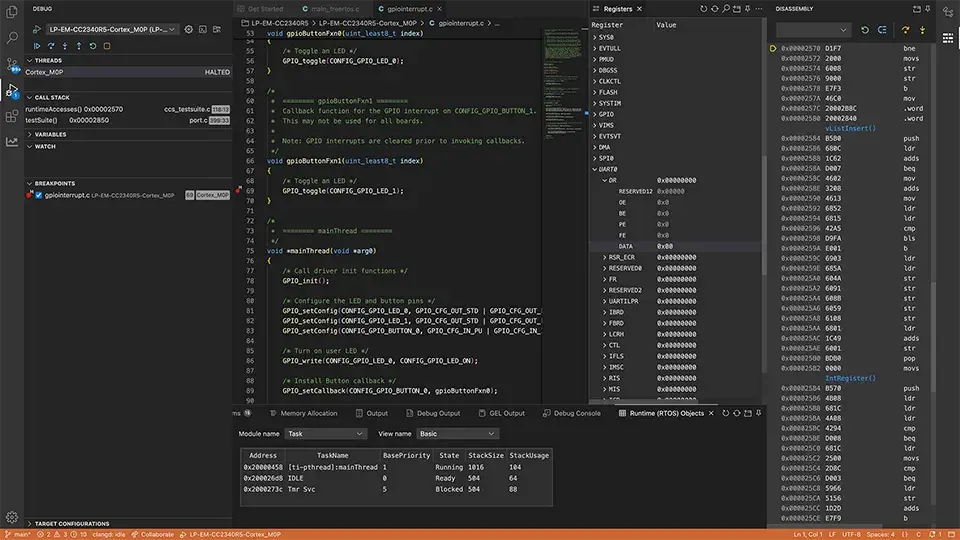
Like Silicon Labs, TI provides a complete IDE and development environment called Code Composer Studio. Originally this IDE was based on Eclipse, but the more recent version have switched to Theia IDE which is more Visual Studio Code based components.
There’s also a TI VS Code extension that you can use for direct VS Code support.
TI’s Bluetooth Stack is closed source as most stacks and it runs on a separate processor. However TI provides a lot of easily accessible documentation and designs for their parts which simplifies design.
Popular TI BLE Options
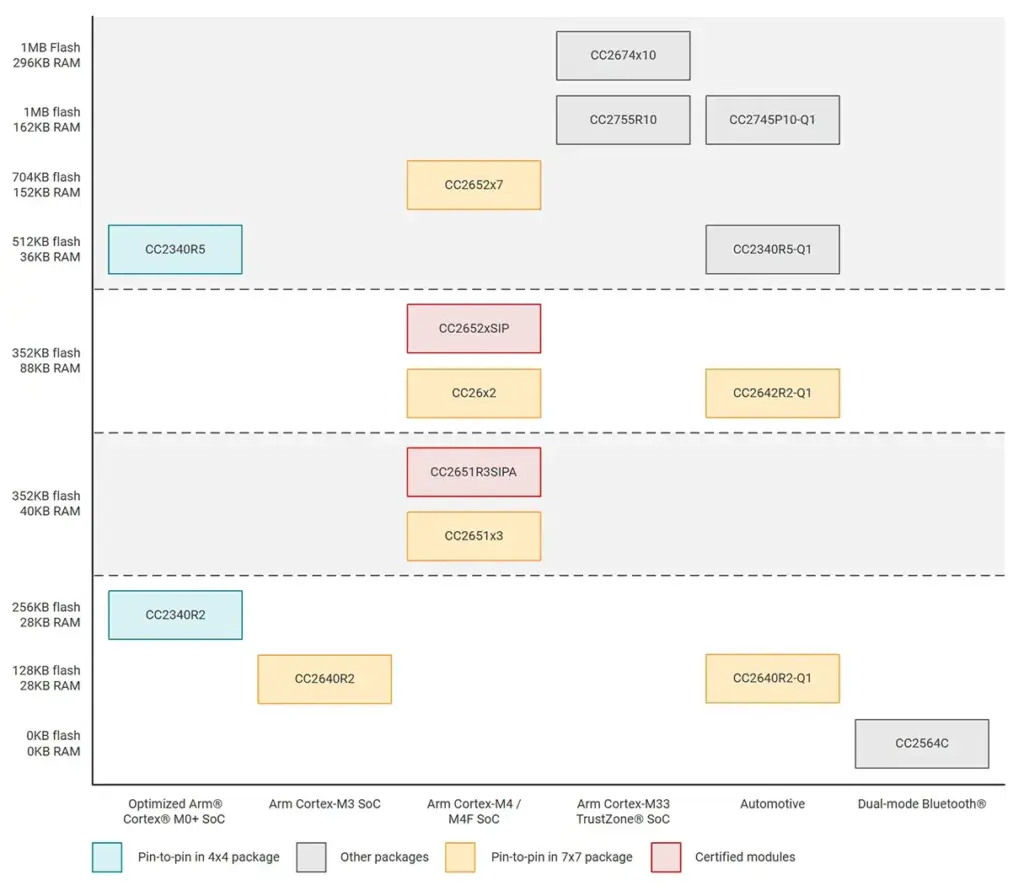
- CC26xx Series – Low-power BLE SoCs
- CC13xx Series – BLE + Sub-1GHz
- CC2745P10 – Automotive
Development Tradeoffs
- BLE stack is reliable but less flexible
- Smaller BLE-focused community
- Slower adoption of the newest BLE features
- Smaller Flash and RAM but with increased reliability
Best for:
Teams already invested in TI MCUs or industrial-grade embedded systems.
Final Thoughts
There is no single “best” BLE hardware for every project. But you can usually find a great choice for your specific product requirements. Evaluating power consumption, RF performance, software maturity, and production scalability early will save months of development time later.
If you’re designing a Bluetooth Low Energy product and want to optimize hardware selection, RF performance, and power consumption, working with experienced wireless engineers can dramatically reduce risk and accelerate time-to-market.